বাংলা
 English
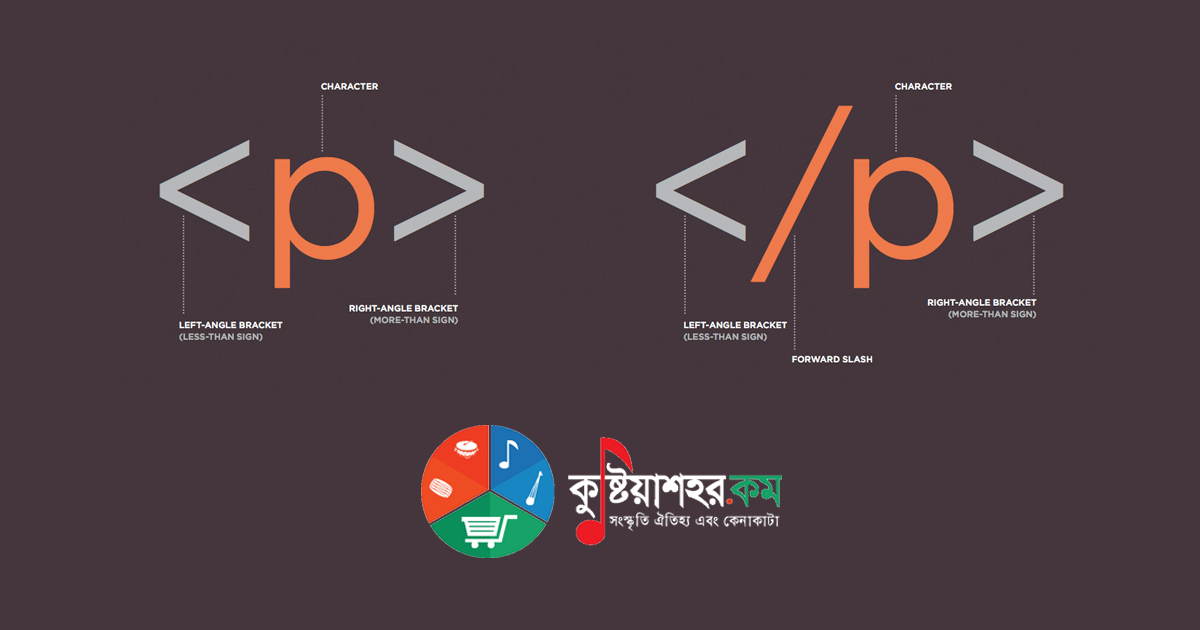
HTML stands for HyperText Markup Language. HTML is the core building block of the web: it describes and defines the contents of a web page. Generally, other technologies besides HTML are used to describe a web page's appearance or presentation (CSS) or its functionality (JavaScript). Everything displayed in your browser is essentially built with HTML. To put it more precisely, HTML is a language that controls a web document's structure, layout, the placement of its contents, internal information and so on.
"HyperText" refers to a link that connects one web page to another, either within a single website or between different websites. Links are the most essential part of the web. By uploading content to the Internet and linking it to pages built by others, you can become an active participant in the World Wide Web.
HTML uses "markup" to display text, images and other content within a web browser. HTML markup includes special elements such as <head>, <title>, <body>, <article>, <section>, <p>, <div>, <span>, <img>, and many more.
Introduction to HTML:
When you view a web page in your browser, the simplest face of the web page stands before you: many words. With those words come quite a few design-related matters — font sizes of various kinds, colours. Sometimes you will see images or video on a page. Quite often you will see a form, where you can type and search in your own way, or change the page's appearance to your liking. And sometimes some parts of the page stay fixed while others keep changing — this, in essence, is HTML.
How to start with HTML:
For writing HTML you can use some software tools (Notepad++, TopStyle, Sublime Text Editor), which will act as a helping hand in your work.
An HTML file's extension is .html. So when saving an HTML file you must always save the file name with .html at the end. For example: suppose we have created a file named sumon, or index — then the name must end with sumon.html, index.html. I hope you have understood. If not, drop a comment below.
Now let us come to how you write HTML. To write HTML, some structure is used by default; it is given below:
Example
<!DOCTYPE html>
<html>
<head>
<title>Page Title</title>
</head>
<body>
<h1>This is a Heading</h1>
<p>This is a paragraph.</p>
</body>
</html>
Save this in an HTML file and open it in a browser. You will see "Page Title" shown in the browser's title, and inside the body "This is a Heading" and "This is a paragraph." rendered in two ways. The body means whatever is visible inside the browser — that is HTML's own word for it.
HTML tags:
An HTML tag is an element name surrounded by angle brackets.
<tagname>Content goes here ...</tagname>
<h1>How are you</h1>
- HTML tags usually come in pairs: <p> and </p>
- The first tag is the start tag
<, the second is the end tag with a slash/>. - Note: the first tag carries no slash; the closing tag carries the slash.
The <! DOCTYPE html> declaration:
The <! DOCTYPE html> declaration represents the document type and helps the browser display the web page correctly.
It must appear only once, at the top of the page (before any other HTML tag).
The <! DOCTYPE> declaration is not case-sensitive.
For HTML, the declaration is:
<!DOCTYPE html>